We all know what image annotation is. It is a process of making an object traceable and recognized by machines. Now, there are two ways to do it: Manual and Automated Image Annotation. While during a manual annotation, a human annotator selects regions and adds descriptions on their own, in the automated annotation, the whole process is carried out by pre-programmed annotation tools. In this article, we will compare which one is better by comparing Manual vs Automated Image Annotation. Plus, we will talk about how the hybrid approach of human and automated data annotation tools is adding 10x efficiency, accuracy, and productivity in AI training and machine learning.
Key Takeaways
- Manual annotation remains the gold standard for navigating complex visual context and nuance that algorithms often miss.
- Automated tools deliver the speed and cost-efficiency required to process the millions of images needed for large-scale AI training.
- Human intervention is critical for high-stakes fields like medical diagnostics, where precise accuracy is non-negotiable.
- Modern frameworks like YOLO and SAM have revolutionized the workflow by automating rapid object detection and exact boundary tracing.
- A hybrid “Human-in-the-Loop” strategy provides the most effective balance by using automation for scale and humans for quality assurance.
- Emerging trends in active and self-supervised learning are reducing the manual burden by helping models learn more autonomously from raw data.
What Is Image Annotation?
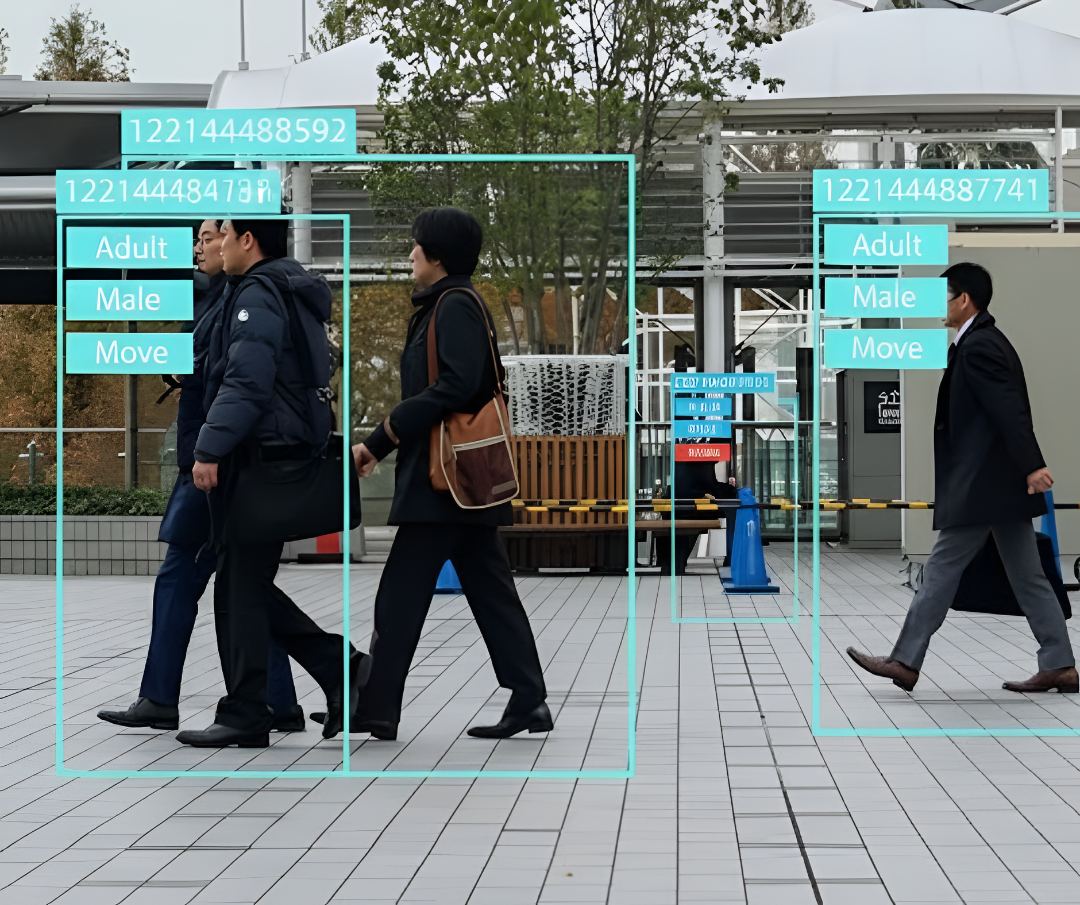
Image Annotation Services are the process of assigning metadata, typically in the form of labels or keywords, to digital images. This is the process of effectively converting visual information into a format that machine learning algorithms can use for training a computer vision model in object detection.
As a crucial aspect of AI development, high-quality annotated images serve as the labeled datasets that directly influence the prediction accuracy of a machine learning model.
Common types of Image Annotation Techniques include:
- Using Bounding Boxes – Drawing rectangular boxes around objects of interest.
- Image Segmentation –Identifying and outlining the precise shape and boundaries of objects, a task that requires finer detail than bounding boxes.
- Keypoint Annotation – Marking specific points on an object, such as facial landmarks or body joints.
- Classification Tags – Assigning a single, descriptive label to an entire image.
What Is Manual Annotation?
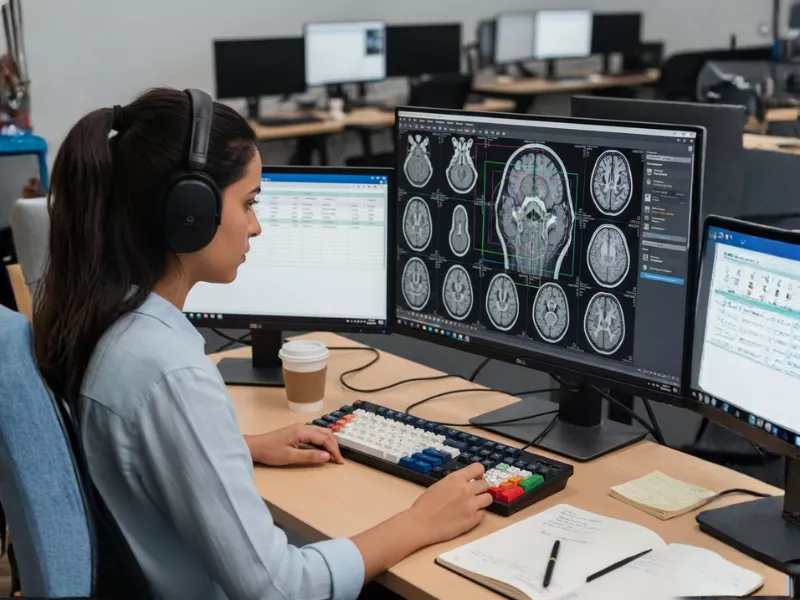
Manual image annotation is the technique of having human experts meticulously tag and label images. In this process, annotators are provided with a batch of raw, unlabeled data and a set of instructions or rules to classify it.
While providing manual image Data Annotation Services for AI projects, experts manually select regions within an image and provide written descriptions, using methods ranging from simple bounding box annotation and polygons to more labor-intensive semantic segmentation.
How Manual Image Annotation Improves AI Models?
Human expertise remains the gold standard for navigating the complex image annotation process. Here is why manual intervention is often preferred:
- High Accuracy: Humans possess a superior ability to understand context and nuance when they label data, leading to far more precise annotations than automated tools.
- Flexibility: Human annotators can easily adapt to diverse data annotation tasks, handling new classes of images without requiring technical software updates.
- Quality Assurance: The process allows for rigorous review, like Image Sorting and Filtering, to refine the dataset and ensure the highest level of precision.
- Suitability for Unsupervised Learning: Manual annotation is highly effective for training artificial intelligence, as humans can uniquely detect and mark previously unseen objects that algorithms might miss.
Is Manual Image Annotation Better for AI Training?
The answer is not simple. It depends on how complex your computer vision project is and how serious the mistakes can be. Manual annotation works best when the data is subjective, unclear, or full of edge cases. These are situations where algorithms struggle with context, such as telling a real pedestrian from a life-like statue in autonomous driving data.
In high-risk fields like medical diagnostics and forensic analysis, accuracy is critical. One mislabeled pixel can cause a wrong diagnosis or legal error. Because of this, a human-in-the-loop approach is essential. Humans understand intent, context, and cultural cues better than machines. This ensures ground truth data stays accurate and reliable.
However, this level of precision does not scale well. When datasets grow from thousands to millions of images, manual human annotation becomes slow and hard to manage. At that point, volume exposes the core limits of this approach.
Challenges of Manual Image Annotation Workflow
- Time consumption: Precision takes time. Creating pixel-level semantic segmentation masks can take over 30 minutes per image. At scale, this delay becomes a bottleneck and can push model deployment back by weeks or months.
- Higher cost: Human labor is expensive. Teams need wages, training, management, and quality checks. Hiring subject matter experts to label millions of data points creates a heavy cost burden and often takes up the largest share of an AI budget.
- Personal bias: Humans are subjective. One annotator may label a blurry object as a vehicle, while another may ignore it. These inter-annotator variances add noise to datasets and can hurt model accuracy.
Indeed, human oversight delivers high quality, but it comes with real friction. Because of these limits, rising costs, and slow speed, data scientists need to look beyond human-only methods to perform the annotation tasks.
To meet the massive demands of training data in 2026, the industry is shifting toward computational approaches to handle big image annotation projects that remove human fatigue.
What Is Automated Image Annotation?
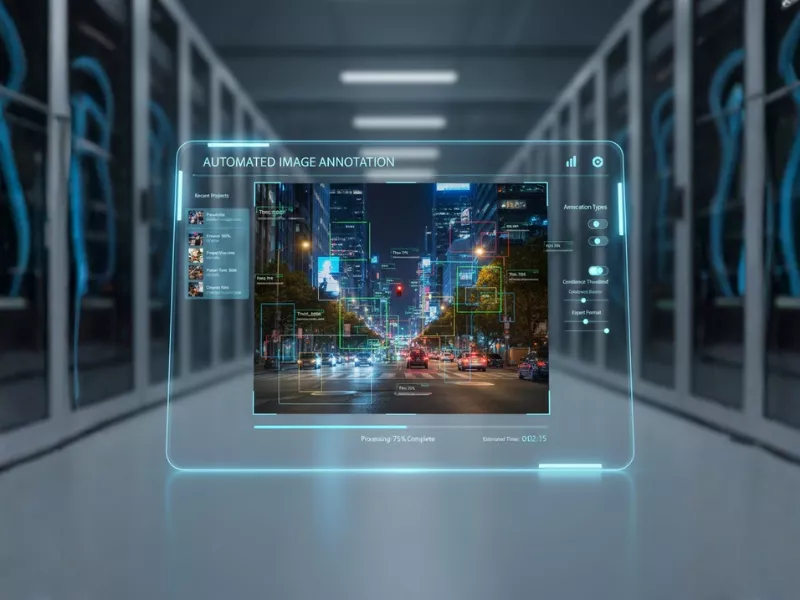
Automated image annotation, also known as automatic image labeling, involves a computer system assigning metadata to digital images without direct human interference. The focus is often on intelligently identifying high-value, edge-case data rather than simply processing large quantities of trivial data on which models are already well-trained.
Benefits of Automated Image Annotation for AI
- Speed and Efficiency: An automated process completes annotation and quality checks much faster than manual methods, which saves significant time.
- Massive Data Handling: This method makes annotation and labeling more efficient, particularly for training AI models that require enormous volumes of high-quality images and continuous data updates.
- Cost-Effectiveness: An automated annotation tool reduces reliance on large manual teams, making annotation more affordable.
- Data Management: Automatic image annotation software consistently tags data for image classification, which helps teams organize and manage datasets even after annotation is finished.
How Does Automated Image Annotation Work to Train Machine Learning Algorithms?
Automated image annotation begins with a pre-trained teacher model that automatically generates labels. Humans then review or refine these labels through a Human-in-the-Loop (HITL) process.
The main steps are simple:
- Teacher Model Inference: The teacher model analyzes raw, unlabeled images and predicts labels. These can include bounding boxes or pixel-level segmentation masks.
- Confidence Scoring: The model assigns a confidence score to each prediction to show how accurate it believes the label is.
- HITL Validation: The system flags low-confidence labels for human review. Annotators correct or approve the results to ensure high accuracy.
- Model Retraining: The validated data is used to retrain the teacher model or a new student model. Over time, this feedback loop improves accuracy and allows the model to handle more complex cases on its own.
How Does AI Help in Automated Image Annotation?
AI automates image annotation by using models like YOLO and SAM:
- YOLO (For Speed/Boxes): It is perfect for drawing bounding boxes quickly (e.g., boxing a car or a specific cell type).
- SAM (For Precision/Masks): The “Segment Anything Model” is smarter at understanding boundaries. It automatically traces the exact outline of an object (creating a segmentation mask) so humans don’t have to manually click pixel-by-pixel around complex shapes.
Which Label Tasks Can I Automate?
Specifically, here are the main tasks an automatic image annotation tool suite can handle for your models:
- Bounding Boxes: Draw a box around an object once. The automatic image annotation tool then scans the rest of the dataset to find and label similar objects.
- Object Detection: Automate the discovery of specific objects in images or videos. Once you set the initial labels, the AI finds every instance accurately.
- Image Segmentation: Create pixel-level masks for precise boundaries. AI tools then identify and label matching pixel clusters throughout the data.
- Image Classification: Group images into target classes using a small sample set. This includes both simple binary labels and complex multi-tagging.
- Human Pose Estimation (HPE): Track intricate body movements easily. Specialized tools automate the labeling of movement patterns in high detail.
- Polygons and Polylines: Trace static or moving objects with lines. The auto image annotation tool then applies these exact shapes to the rest of the dataset automatically.
- Keypoints and Primitives: Use skeleton templates for specific shapes. This method templatizes complex structures like the human body or 3D cuboids.
- Multi-Object Tracking (MOT): Follow several objects from frame to frame in a video. Automation keeps labels consistent across the entire clip with minimal oversight.
- Interpolation: Fill in the data gaps between different video keyframes. This process automates object segmentation for smoother results.
What Features Do You Need in an Automated Image Annotation Tool?
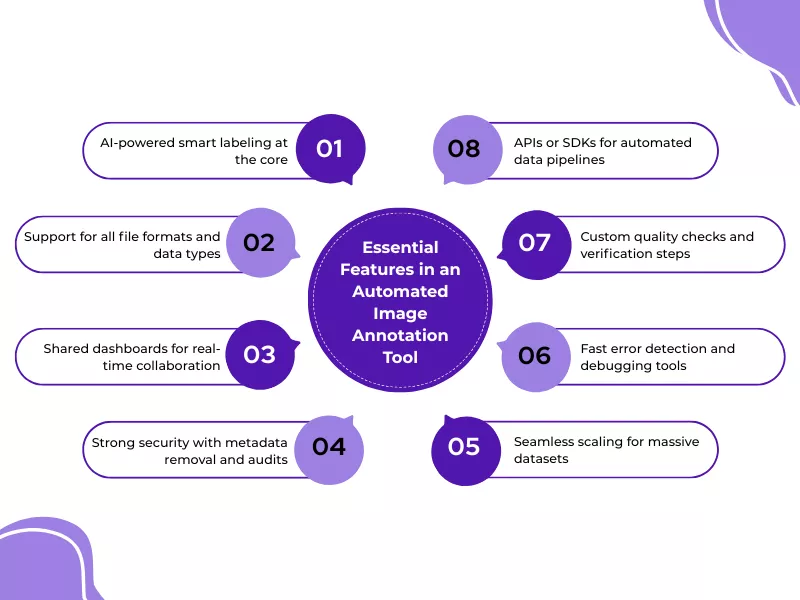
To get the most out of your project, you need a robust automated image annotation tool. Look for these eight features to ensure your workflow is efficient and accurate:
1. Integrated AI Smart Labeling
Naturally, your tool must support AI-assisted labeling at its core. If you choose a customizable SaaS platform, pick one that fits your specific project needs. Use a checklist to compare features, reviews, and pricing of the image annotation ai tools before you commit.
2. Universal File Compatibility
The software should handle a wide variety of data types and file formats. For example, you might need to annotate 2D images or specialized healthcare formats like DICOM and NIfTI. Ensure the tool supports your files in their native format without requiring you to compress or shorten videos.
3. Streamlined Shared Dashboards
Computer vision projects involve many people, so a collaborative dashboard is essential. This setup keeps all stakeholders and outsourced teams on the same page in real-time. An easy-to-use interface prevents “mission creep” and keeps the project moving smoothly.
4. Advanced Data Protection
Security is a top priority when handling sensitive images. Your tool should help you remove personal metadata during the data cleaning process. Furthermore, ensure the platform provides full audit trails to prove you comply with strict industry regulations.
5. Automated Flow Pipelines
If you handle large volumes of data, look for a tool with a Python SDK or API. This allows you to connect your datasets and models directly. Consequently, you can train your machine learning models continuously and at a much faster pace.
6. Tailored Verification Steps
Your quality control (QC) workflow should be easy to customize. Use the tool to validate that the AI is applying labels correctly throughout the process. This step is vital for reducing bias and fixing small bugs before they ruin your dataset.
7. Instant Error Detection
Every dataset contains errors or poorly labeled frames. Choose a tool that identifies these bugs quickly so your team can fix them. In fact, fast debugging allows you to resubmit clean data to the training set almost instantly.
8. Massive Project Scalability
Additionally, the platform must handle growth without slowing down. It should support moving from ten thousand images to ten million without any technical glitches. A scalable tool ensures your infrastructure doesn’t break as your AI project becomes more successful.
Automated Image Annotation Best Practices
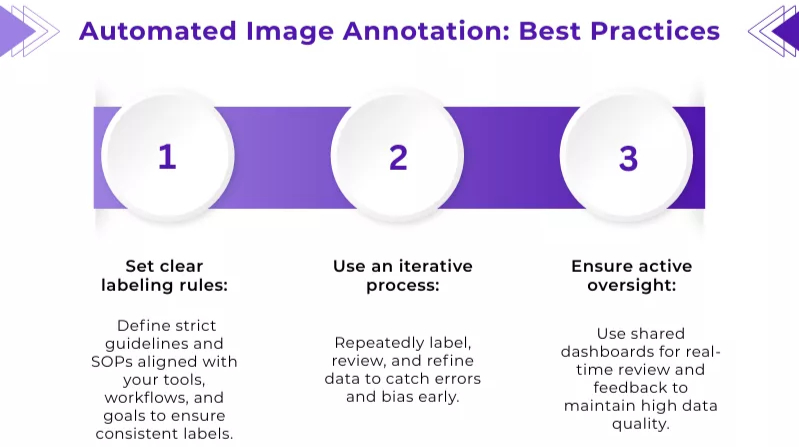
To get the best results from your project, you should follow these efficient strategies for image annotation for machine learning. Implementing these habits early will streamline your entire workflow.
Define Explicit Labeling Standards
AI models fail without perfectly labeled data. Likewise, your teams need strict rules before they start any work. You should draft clear guidelines and standard operating procedures (SOPs). These documents must work specifically with the annotation tools you choose. Also, make sure these standards match your in-house data workflows and product goals. This clarity prevents confusion and keeps the labeling consistent across your entire team.
Build a Step-by-Step Iterative Cycle
Don’t expect a perfect dataset on the first try. Instead, build an iterative workflow into your plan. This involves a repeating cycle of processing raw data, identifying errors, and refining labels for your images or videos. Repeating these steps allows you to polish your dataset through several layers of review. In fact, this repetitive approach makes it much easier to catch hidden bugs or algorithmic bias before they hurt your model.
Maintain Oversight via Shared Interfaces
High data quality is difficult to achieve, but it is mission-critical. Research shows that even the best-practice datasets often contain at least 3.4% inaccurate labels. To fight this, manage your feedback through a collaborative, automated dashboard. These shared hubs allow experts to review tags and provide feedback in real time. Consequently, you can quickly fix missing markers or poor data in edge cases while keeping your quality control process organized.
Top Industry Use Cases for Automated Image Annotation
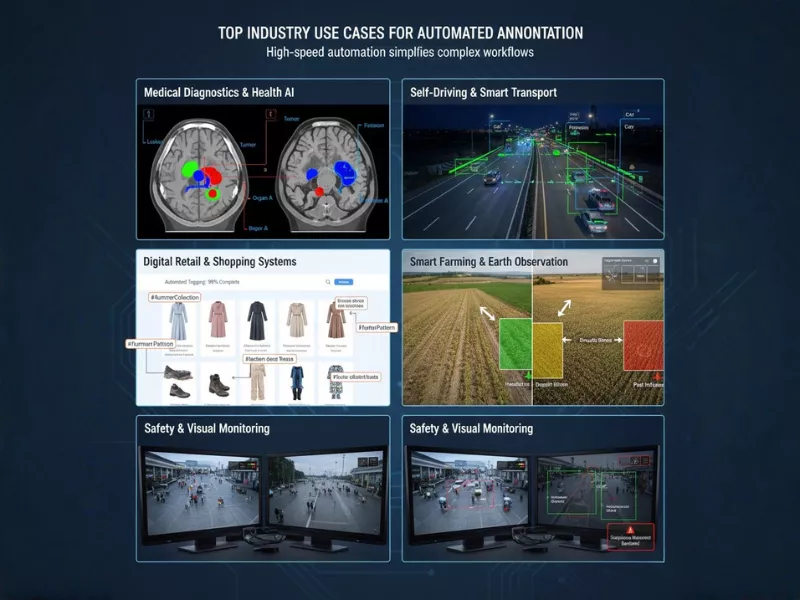
Many organizations across different sectors are now using high-speed automation to simplify their most complex workflows.
Medical Diagnostics & Health AI
Automated systems scan CTs and MRIs in seconds, applying pixel-level masks to organs or lesions. This rapidly converts raw medical data into usable training sets, far faster than manual analysis.
Self-Driving & Smart Transport
Autonomous systems label millions of images daily for tasks like lane and vehicle detection. Automation processes data nonstop, keeping safety models accurate and up to date.
Digital Retail & Shopping Systems
AI tools automatically tag product images by color, style, and shape. This speeds up inventory management and allows faster launches without manual tagging.
Smart Farming & Earth Observation
Software analyzes satellite and drone imagery to monitor crops at scale. It detects changes in plants and soil to flag pests or drought early.
Safety & Visual Monitoring
Automated surveillance analyzes live video feeds in real time. It identifies vehicles, faces, and unusual movements, enabling instant threat detection and response.
What Are the Challenges of Automated Annotation?
Automated annotation offers speed and efficiency, but it also comes with clear limitations that teams must consider before relying on it fully.
- Lack of Flexibility: Systems often fail when images do not match the expected format. New projects or object classes usually require software updates or changes to the annotation method.
- Quality and Nuance Limits: Machines struggle in complex scenes and may label objects incorrectly, which can reduce annotation quality.
- Data Privacy and Bias: Software providers may have access to user data. Built-in algorithm bias can also lead to skewed or inaccurate results.
- Scalability Constraints: Systems designed for fixed output levels may not handle sudden spikes in production demand.
- Unsupervised Learning Limits: Automated tools perform poorly without training data and cannot reliably identify objects on their own.
Comparative Analysis: Automatic and Manual Annotation
The decision between manual and automated annotation solutions involves a direct trade-off between speed and cost on one side, and quality and flexibility on the other.
| Manual Annotation | Automated Annotation |
|---|---|
| Takes a long time in the data annotation process and requires significant skill and effort. | Significantly faster, saving considerable time. |
| Focuses on complex image annotation for higher accuracy through context, subtleties, and custom requirements. | Focuses on quantity. |
| Highly flexible. | Inflexible. |
| More expensive. | More cost-efficient. |
| Not scalable. | Highly scalable for high volume works. |
| Prone to personal biases of the annotators. | Prone to algorithmic bias and potential data privacy compromises from the software developer. |
Manual vs. Automated Annotation: Which Is the Best Data Annotation Technique?
There is no single best option for every project. Both manual and automated systems have specific advantages and drawbacks. The right choice depends on how the data will be used and what the project demands. Both automated and manual annotation methods support AI and machine learning workflows, but they serve different goals when working with AI data. For instance, while manual labeling ensures high-quality ground truth for niche edge cases, incorporating computer vision synthetic data allows teams to rapidly generate diverse, pre-labeled datasets that might be too costly or dangerous to capture in the real world. Ultimately, balancing these methods ensures a more robust and scalable model training process. Here are three common situations to help you decide.
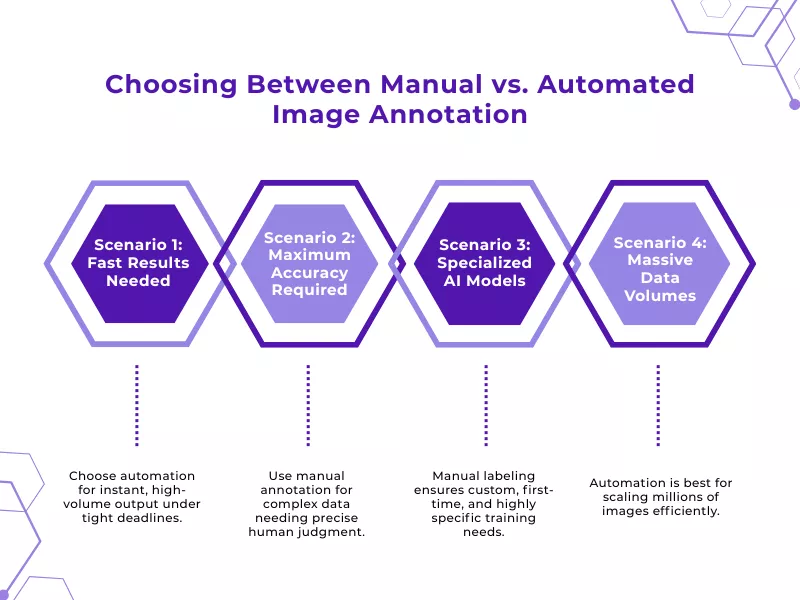
Scenario 1: You Need Fast Results
An automated annotation system delivers high volumes of work almost instantly. In contrast, manual annotation takes much longer because humans require more time and frequent quality checks. Therefore, choose automation if you are facing a tight deadline and need your images ready as soon as possible.
Scenario 2: Accuracy is Your Top Priority
Human experts still provide the highest quality for complex datasets. Skilled professionals can handle specific details that machines might miss. While automation focuses on large quantities, it can sometimes lose the precision required for high-stakes models. Pick manual annotation if your project demands total accuracy.
Scenario 3: You Are Building a Specialized AI Model
Custom computer vision projects often require unique, tailor-made labels for supervised learning. Because of this, manual annotation is usually necessary to ensure the data matches your exact requirements. Human insight is vital when you are teaching an AI model to recognize objects for the very first time.
Scenario 4: You Have a Massive Data Backlog
Processing millions of images is nearly impossible for a human team to manage. Scaling manual labor for a dataset this size leads to extreme costs and management headaches. On the other hand, automated systems can handle huge data piles effortlessly. If your dataset is massive, automation is the only realistic way to scale your project.
In practice, many teams achieve the best results by combining both methods. This hybrid approach balances speed and accuracy and will be explained in the next section.
Why a Hybrid Annotation Approach Works Best?
A hybrid approach blends automation and human review to balance speed and accuracy. This model is widely used across industries and fits well within a modern annotation platform or data annotation platform designed for AI and ML workflows.
Automation handles scale, while humans ensure quality across different annotation types, making it the right tool for complex use cases and custom annotation needs in computer vision annotation.
Future Trends in Image Annotation
As AI evolves, these key trends are shaping the landscape:
- Active Learning: AI teams improve efficiency with an intelligent annotation system where algorithms suggest labels for human validation.
- Self-Supervised Learning: Reduces manual effort by deploying a model trained on raw data to learn features autonomously.
- Crowdsourcing Platforms: Scales operations by equipping global workforces with specialized data labeling tools.
- Improved Tools: Deep learning continually redefines the best data annotation tool by enhancing automation accuracy.
- Transfer Learning: Lowers data requirements by building a new model using pre-learned foundations instead of starting from scratch.
- Automated Quality Control: Software has evolved beyond a simple annotation tool for labeling to auto-detect and fix errors.
- Real-Time Annotation: Facilitates dynamic applications by using image annotation to label live data streams instantly.
Automated Image Annotation with AnnotationBox
AnnotationBox helps elite AI teams ditch the manual bottleneck and automate their image annotation and data labeling workflows at scale. Our platform is built specifically for high-speed computer vision projects. Therefore, you can train your models ten times faster while maintaining total security over your datasets.
Furthermore, our software uses smart, ML-assisted tools to catch bugs, reduce bias, and fix errors automatically. This makes managing large-scale image annotation projects much simpler and significantly more cost-effective. Consequently, your team spends less time fixing errors and more time shipping production-ready AI.
By choosing AnnotationBox, you gain a powerful, shared dashboard and customizable toolkits designed for 2026’s demands. It is the smartest way to build high-quality datasets and reach peak model performance with ease. Stop struggling with slow data cycles and start leading your industry with AnnotationBox.
Conclusion
In 2026, the question is not manual versus automated, but how to combine them effectively. While manual annotation guarantees the precision needed for complex, high-stakes tasks, automation solves the critical scalability challenge. The future belongs to the hybrid approach, where human experts validate AI-generated labels. This synergy maximizes both efficiency and accuracy, ensuring that high-performance models are built on trusted, high-fidelity data.
Frequently Asked Questions
Can automated image annotation be used for video as well?
Yes. Since video is a sequence of frames, advanced video annotation tools leverage object tracking to label a subject in one frame and automatically follow it throughout the video data. This method significantly accelerates video annotation, eliminating the need to redraw labels for every split-second of footage.
What types of images can be annotated automatically?
Technology now supports image formats across almost every industry, ranging from standard JPEGs and satellite maps to complex medical DICOM files. You can use automated systems to label broad categories, including surveillance visuals, thermal sensing, and LiDAR data, provided distinct patterns exist for the algorithm to recognize.
What is the cost of automated image annotation tools?
Pricing structures vary widely based on volume and complexity. Models typically range from free open-source tiers to per-image pricing or monthly enterprise subscriptions. Costs generally depend on the number of processed hours or the specific data throughput required.
How to customize automated image annotation for specific needs?
You can customize output by fine-tuning pre-trained models on a small batch of your specific image and video data. This trains the algorithm to recognize niche objects or follow project-specific guidelines rather than relying on generic datasets.
Is automated image annotation secure for sensitive data?
Yes, primarily when using private cloud or on-premise solutions. Reputable providers use end-to-end encryption to ensure that your proprietary data remains isolated and is never used to train public models without consent.
Does automated image annotation comply with GDPR or privacy laws?
Yes, compliance is managed through automatic anonymization. A robust tool allows teams to detect and blur Personally Identifiable Information (PII) like faces and license plates before the data is stored, ensuring adherence to GDPR and HIPAA.
How is automated image annotation used in medical imaging?
It functions as a diagnostic support system. Algorithms pre-label abnormalities such as tumors or fractures in DICOM scans, allowing radiologists to verify results quickly rather than annotating from scratch, which speeds up patient diagnosis.
Automated image annotation for security and surveillance applications?
These systems analyze live feeds to detect unauthorized entry, abandoned objects, or specific behaviors. By powering real-time image and video annotation, they provide security teams with instant alerts on potential threats, making surveillance proactive rather than reactive.
How to choose an automated image annotation service provider?
Prioritize providers that offer verified security certifications (SOC 2 or ISO), scalable infrastructure, and “human-in-the-loop” options to correct algorithmic errors. The right partner should support diverse file formats and transparent pricing.
For a provider that delivers precise annotation services with robust security and rapid scalability, consider Annotation Box to handle your training data needs efficiently.

Want To See My Profile — Click Here Douglas M. Marlin
- Comparing Manual vs Automated Image Annotation: Which Is Better in 2026? - December 29, 2025
- How to Master Audio Data Labeling for AI Accuracy in 2026 - November 18, 2025
- The Importance of Data Security in E Commerce Audio Annotation - October 30, 2025